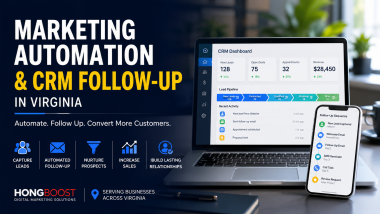
Marketing automation and CRM follow-up in Washington, DC help local businesses respond to leads faster, organize customer information, and create a more consistent sales process.
Many businesses spend money on websites, Google Ads, Facebook Ads, social media, professional photography, and video production. Those marketing activities may generate phone calls, form submissions, messages, and appointment requests.
However, generating an inquiry is only the beginning.
If nobody responds quickly, if customer information is stored in different places, or if there is no clear follow-up process, valuable opportunities can disappear. A potential customer may contact several companies at the same time and choose the business that responds clearly, professionally, and consistently.
At HONG Boost, we view marketing automation and CRM follow-up as part of a complete customer acquisition system. The goal is not to replace human relationships with automated messages. The goal is to make sure important inquiries are captured, organized, followed up, and measured.
Why Marketing Automation and CRM Follow-up Matter
Local businesses often focus on attracting more leads. But many companies do not need only more leads. They also need a better system for handling the leads they already receive.
A customer may discover a business through:
- Google Search
- Google Maps
- Google Business Profile
- Google Ads
- Facebook or Instagram Ads
- Social media content
- A referral
- A website contact form
- A phone call
- An email inquiry
- A networking event
Without a central system, those inquiries can become scattered across email inboxes, text messages, spreadsheets, handwritten notes, social media accounts, and individual employees’ phones.
A CRM and follow-up system can help a business create one organized process for managing those opportunities.
What Is a CRM?
CRM stands for Customer Relationship Management.
A CRM is a system used to organize information about prospects, leads, customers, conversations, appointments, estimates, projects, and follow-up activity.
A CRM may contain information such as:
- Customer name
- Phone number
- Email address
- Company name
- Requested service
- Lead source
- Service location
- Date of first contact
- Appointment status
- Estimate status
- Follow-up history
- Project value
- Next action
The purpose of a CRM is not simply to store contact information. It should help the business understand where each customer is in the decision process and what needs to happen next.
Businesses exploring CRM technology can review general CRM concepts and product capabilities through the official HubSpot CRM resource.
What Is Marketing Automation?
Marketing automation uses software and predefined rules to complete repetitive communication or administrative tasks.
Examples may include:
- Sending an immediate confirmation after a form submission
- Notifying a team member when a new lead arrives
- Creating a follow-up task
- Sending an appointment reminder
- Following up after an estimate
- Requesting a customer review after project completion
- Sending educational email content
- Reconnecting with inactive leads
- Tagging contacts by service or source
- Moving a lead into a different pipeline stage
Automation should support the customer experience, not make it feel impersonal.
A thoughtful automated message can confirm that an inquiry was received and explain what will happen next. A poorly designed automation can send irrelevant messages, repeat information, or frustrate the customer.
Marketing Automation and CRM Are Different but Connected
A CRM organizes customer relationships and sales activity. Marketing automation helps complete specific actions based on customer behavior or business rules.
For example:
- A customer submits a website form.
- The customer’s information is added to the CRM.
- The system records the source of the inquiry.
- The customer receives a confirmation email.
- A team member receives a notification.
- A follow-up task is created.
- The lead moves into the “New Inquiry” stage.
- If no response is recorded, another reminder is created.
The CRM stores and organizes the relationship. The automation helps the business take consistent action.
Why Local Businesses Lose Valuable Leads
Lead loss does not always happen because the service is too expensive or the customer is not interested.
Sometimes the business simply does not respond effectively.
Common problems include:
- Contact forms going to an inbox nobody checks
- Phone calls not being returned
- Customer information being written on paper
- No record of previous conversations
- Estimates being sent without follow-up
- Employees assuming someone else responded
- Social media messages being overlooked
- No method for prioritizing urgent inquiries
- No reminder for future follow-up
- No system for measuring lead quality
These problems become more serious when a company increases its advertising budget.
More advertising may produce more inquiries, but it can also create more missed opportunities if the follow-up process is not prepared.
Before investing heavily in paid traffic, businesses should make sure their website, landing pages, tracking, CRM, and response process work together.
Our guide to Google and Facebook Ads services in Washington, DC explains why paid advertising should be connected to landing pages, tracking, and reliable lead follow-up.
The Customer Journey Should Be Clearly Defined
Marketing automation works best when the business understands the customer journey.
A simple local service customer journey may include:
- The customer discovers the business.
- The customer visits the website.
- The customer reads reviews and service information.
- The customer calls or submits a form.
- The business qualifies the inquiry.
- An appointment is scheduled.
- An estimate or proposal is provided.
- The customer makes a decision.
- The project is completed.
- The business requests a review or referral.
Each stage may require a different type of communication.
A new inquiry needs acknowledgment. An upcoming appointment may need a reminder. A customer who received an estimate may need a thoughtful follow-up. A completed customer may be ready to leave a review.
Sending the same message to everyone is not an effective automation strategy.
Lead Capture: The First Step
A CRM cannot organize information that was never captured.
Every important inquiry source should connect to a clear process.
Lead sources may include:
- Website contact forms
- Landing page forms
- Phone calls
- Google Business Profile
- Google Ads
- Facebook Lead Ads
- Instagram messages
- Email inquiries
- Event registrations
- Referral forms
The business should decide what information is truly necessary at the beginning.
A long form may discourage customers from completing it. A very short form may not provide enough information to understand the inquiry.
For many local businesses, the first form can request:
- Name
- Phone number
- Email address
- Requested service
- Service location
- A short description of the need
Additional details can be collected later during the qualification process.
Your Website and Landing Pages Must Support the CRM
A CRM cannot fix a confusing website.
If visitors do not understand the service, trust the company, or know what action to take, they may never become leads.
A strong website should provide:
- Clear service explanations
- Dedicated landing pages
- Original photographs
- Professional videos
- Customer reviews
- Completed project examples
- Service area information
- Simple contact options
- Mobile-friendly forms
- Clear calls to action
Learn more in our guide to high-converting website design and landing pages in Washington, DC.
Immediate Confirmation Builds Confidence
When a customer submits a form, the business should confirm that the inquiry was received.
A useful confirmation message may explain:
- That the submission was successful
- When the customer should expect a response
- What information may be needed next
- How to contact the business for an urgent need
- What the next step will be
The message should be clear and realistic.
Businesses should not promise an immediate response if nobody is available to respond immediately. Accurate expectations build more trust than exaggerated promises.
Lead Notifications Help Teams Respond Faster
New leads should not remain hidden in a general inbox.
A notification system can alert the appropriate person when a new inquiry arrives.
The notification may include:
- Customer name
- Contact information
- Requested service
- Location
- Lead source
- Message or project details
- Time of submission
Different inquiries may need to go to different team members.
For example, a roofing inquiry may go to one person, while a restoration inquiry goes to another. A restaurant catering request may go to the manager, while a general reservation question follows a different process.
Lead Qualification Saves Time
Not every inquiry is a good fit.
A qualification process helps the business understand:
- What service the customer needs
- Where the project is located
- Whether the business serves that area
- The estimated project timeline
- The customer’s priorities
- Whether the request matches the company’s capabilities
- Whether an appointment should be scheduled
Qualification does not need to feel like an interrogation. It should help both the business and the customer determine whether the next conversation is useful.
A CRM can record qualification details so that the customer does not have to repeat the same information to multiple employees.
CRM Pipeline Management
A sales pipeline shows where each lead is in the process.
A local business pipeline might include stages such as:
- New Inquiry
- Contact Attempted
- Qualified
- Appointment Scheduled
- Estimate in Progress
- Estimate Sent
- Follow-up Needed
- Won
- Lost
- Future Opportunity
The exact stages should reflect the company’s real sales process.
Too many stages can make the system difficult to use. Too few stages may not provide enough information.
A useful pipeline allows the business owner or manager to answer questions such as:
- How many new leads arrived this week?
- How many received a response?
- How many appointments were scheduled?
- How many estimates were sent?
- Which opportunities need follow-up?
- Which marketing sources produced customers?
Automated Follow-up After an Estimate
Many businesses spend time preparing estimates but do not have a consistent follow-up process.
Customers may delay decisions because they are comparing options, discussing the project with family members, waiting for insurance information, reviewing financing, or simply becoming busy.
A thoughtful follow-up sequence can remind the customer that the business is available.
For example:
- Confirm that the estimate was delivered.
- Invite the customer to ask questions.
- Provide a relevant project example or educational resource.
- Follow up again after a reasonable period.
- Record whether the opportunity is active, delayed, won, or lost.
Follow-up should be helpful, not aggressive.
Repeated messages sent too frequently can damage trust. The timing should reflect the type of service and the normal customer decision process.
Email Automation
Email automation can support several stages of the customer journey.
Useful email messages may include:
- Inquiry confirmations
- Appointment details
- Estimate delivery notifications
- Educational information
- Project preparation instructions
- Follow-up reminders
- Post-project thank-you messages
- Review requests
- Seasonal service reminders
Email content should be concise, relevant, and easy to read on mobile devices.
Businesses interested in learning more about common email automation features can review the official Mailchimp marketing automation overview.
Text Message Follow-up
Text messages can be useful for time-sensitive communication, such as:
- Appointment confirmations
- Arrival updates
- Scheduling changes
- Short follow-up reminders
- Requests for missing information
However, businesses should use text communication responsibly.
Customers should understand why they are receiving messages, and businesses should follow applicable consent and communication requirements. Text messages should not become an excuse to send frequent promotions without permission.
Appointment Scheduling and Reminders
Manual scheduling can create unnecessary delays.
An online scheduling process may allow qualified customers to choose an available time, receive confirmation, and receive a reminder before the appointment.
A scheduling system can help reduce:
- Back-and-forth emails
- Missed appointments
- Double bookings
- Scheduling confusion
- Incomplete customer information
Not every service should allow instant scheduling.
Some inquiries need to be qualified first. The system should reflect the actual needs of the business rather than forcing every customer into the same process.
Review Request Automation
Customer reviews support local visibility and trust.
After a successful project or service experience, a CRM can create a reminder to request feedback.
A review request should be:
- Sent at an appropriate time
- Easy to understand
- Connected to the correct review platform
- Respectful and optional
- Personalized when possible
The system can remind the business to ask, but the customer experience still determines whether the review will be positive.
Customer Retention and Long-Term Follow-up
Marketing automation is not only for new leads.
Existing customers may need future services, seasonal reminders, maintenance, additional products, or related solutions.
Examples include:
- Roof inspection reminders
- Seasonal home maintenance information
- Restaurant catering announcements
- Farm event updates
- New product launches
- Annual service reminders
- Follow-up after a completed project
Long-term communication should provide value. Customers are more likely to remain engaged when messages are useful rather than purely promotional.
Marketing Automation for Contractors
Contractors often manage a large number of moving parts, including site visits, estimates, materials, scheduling, insurance information, subcontractors, and customer communication.
A contractor CRM may help organize:
- New project inquiries
- Service locations
- Inspection appointments
- Estimate status
- Project photographs
- Insurance information
- Follow-up tasks
- Project completion
- Review requests
Automation can help confirm appointments and estimates, but complex project questions should still be handled by a knowledgeable person.
Marketing Automation for Restaurants
Restaurants may use automation differently from contractors.
Useful restaurant workflows may include:
- Catering inquiry follow-up
- Private event requests
- Reservation confirmations
- Customer email lists
- Seasonal menu announcements
- Special event reminders
- Customer feedback requests
The communication should remain consistent with the restaurant’s brand and customer experience.
Marketing Automation for Real Estate Professionals
Real estate customer decisions can take weeks, months, or longer.
A CRM can help agents and media professionals organize:
- Buyer and seller inquiries
- Property interests
- Appointment schedules
- Listing activity
- Open house follow-up
- Long-term nurture communication
- Referral sources
Automation can create reminders and deliver useful information, but personalized communication remains essential in a relationship-driven industry.
Marketing Automation for Farms, Retailers, and Local Events
Farms, retailers, and event businesses often depend on seasonal timing and repeat visitors.
A CRM and automation system may support:
- Event registration
- Season opening announcements
- Ticket reminders
- Product availability updates
- Customer interest lists
- Post-event follow-up
- Future event announcements
Visual content, social media, and email can work together to maintain interest throughout the season.
Connect Marketing Sources to Real Results
A CRM should record where leads come from whenever possible.
Possible sources include:
- Google Organic Search
- Google Business Profile
- Google Ads
- Facebook Ads
- YouTube
- Email marketing
- Referral partners
- Direct website traffic
- Offline events
This information helps the business compare marketing activity with actual customer outcomes.
Google provides measurement and analytics tools that can help businesses understand website activity. More information is available through the official Google Analytics Help Center.
Website analytics and CRM data answer different questions.
Analytics may show how visitors reached the website and what pages they viewed. The CRM may show which inquiries became appointments, estimates, and customers.
Both forms of information are useful when evaluating marketing performance.
Automation Should Not Replace Human Communication
One of the biggest mistakes businesses make is trying to automate every interaction.
Automation is useful for:
- Confirmations
- Reminders
- Notifications
- Task creation
- Basic educational messages
- Record keeping
Human communication is still essential for:
- Complex questions
- Project recommendations
- Customer concerns
- Pricing discussions
- Problem resolution
- Relationship building
The best system helps people communicate better. It does not make the customer feel trapped inside an automated process.
Common Marketing Automation Mistakes
Automating Before Defining the Process
If the business does not have a clear sales process, automation may make the confusion happen faster.
Collecting Too Much Information
Complicated forms can discourage customers from contacting the business.
Sending Too Many Messages
Frequent, irrelevant follow-up can feel intrusive.
Using Generic Messages for Every Customer
Different services and customer stages require different communication.
Failing to Assign Responsibility
Automation can create a task, but someone still needs to complete it.
Ignoring Lead Quality
A large number of leads is not necessarily valuable if the inquiries are outside the service area or unrelated to the business.
Not Measuring Outcomes
Businesses should track appointments, estimates, sales, and customer value rather than only form submissions.
Building an Overly Complicated System
A small business may not need dozens of pipelines, hundreds of tags, and complicated workflows.
The system should be simple enough that the team will actually use it.
Marketing Automation and CRM Checklist
Before implementing a CRM and automation system, confirm that the business has:
- A clearly defined customer journey
- A list of important lead sources
- A simple lead capture process
- Clear pipeline stages
- An assigned person for each lead
- A response-time expectation
- Follow-up rules
- Appointment and estimate procedures
- A method for recording lead outcomes
- Review request timing
- Customer consent and privacy practices
- A plan for testing the system
Start with the most important workflow. The system can become more advanced after the team uses it consistently.
Our Marketing Automation and CRM Process
1. Customer Journey Review
We review how customers currently discover, contact, and choose the business.
2. Lead Source Mapping
We identify website forms, advertisements, phone calls, social media, Google Business Profile, referrals, and other sources.
3. Pipeline Design
We create practical stages that reflect the actual customer and sales process.
4. Follow-up Planning
We define which messages should be automatic, which tasks should create reminders, and which conversations require a person.
5. Website and Form Integration
We review whether the website and landing pages collect the right information and deliver it reliably.
6. Tracking and Reporting
We identify the measurements that matter, including lead source, response, appointment, estimate, and customer outcome.
7. Testing
We test forms, notifications, workflows, emails, and lead assignments before relying on the system.
8. Ongoing Improvement
We review where leads are delayed, lost, or poorly qualified and improve the workflow over time.
Frequently Asked Questions
Does every small business need a CRM?
A very small business may initially manage a limited number of contacts without a formal CRM. However, once inquiries come from several platforms or multiple people handle customers, a CRM can improve organization and consistency.
Can marketing automation respond to customers automatically?
Yes. Automation can send confirmations, reminders, and basic information. Important sales questions and customer concerns should still receive a personal response.
Will automation make my business feel impersonal?
It can if messages are generic, frequent, or irrelevant. Thoughtful automation should improve communication by confirming receipt, explaining next steps, and preventing customers from being forgotten.
Can a CRM track Google Ads and Facebook Ads leads?
A CRM can record lead source information when forms, tracking tools, or integrations are configured correctly. The exact capabilities depend on the platforms and CRM being used.
Can HONG Boost connect my website forms to a CRM?
HONG Boost can help review website forms, landing pages, lead capture, notifications, CRM workflows, and follow-up processes as part of a broader marketing system.
How many automated messages should a business send?
There is no universal number. The frequency should reflect the customer’s needs, the service, the sales cycle, and the reason for communication. Relevance is more important than volume.
Should every lead receive the same follow-up?
No. An urgent service inquiry, a long-term remodeling prospect, a restaurant catering request, and an event registration should follow different communication paths.
Can CRM automation help request Google reviews?
Yes. A CRM can create a reminder or send a review request after a completed service. The request should be sent at an appropriate time and should remain optional.
What is the difference between a CRM and email marketing software?
A CRM organizes customer and sales relationships. Email marketing software focuses primarily on sending and managing email communication. Some platforms combine both functions.
How long does it take to build a CRM workflow?
The timeline depends on the complexity of the business, the number of lead sources, the existing website, the sales process, and the number of automations required. A simple and reliable system is usually better than launching an unnecessarily complex one.
Marketing Automation and CRM Follow-up in Washington, DC by HONG Boost
HONG Boost helps local businesses connect marketing, lead capture, customer communication, and follow-up into one practical customer acquisition system.
Our work may include:
- Customer journey planning
- CRM pipeline design
- Lead capture forms
- Landing page integration
- Lead notifications
- Email follow-up workflows
- Appointment reminders
- Estimate follow-up
- Review request systems
- Lead source tracking
- Website design
- Google Business Profile support
- Google and Facebook Ads
- Professional photography and video
We serve businesses throughout Washington, DC, Maryland, and Northern Virginia, including Bethesda, Rockville, Gaithersburg, Silver Spring, Potomac, Arlington, Alexandria, and Fairfax.
If your business is generating inquiries but losing track of customers, delaying follow-up, or relying on disconnected spreadsheets and messages, contact HONG Boost to discuss a more organized marketing automation and CRM follow-up system.